▶ Tutorials · Recorded on a Peppol-Certified Access Point
E-Invoicing Video Tutorials, Recorded From Every System We Integrate
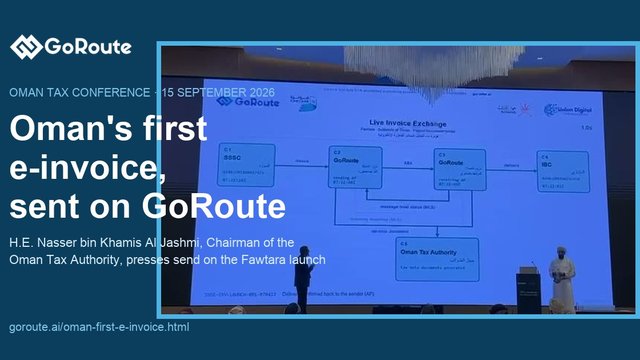
This page is GoRoute's video library: twelve unedited recordings of real invoices leaving SAP, Oracle, Dynamics 365, Odoo, Zoho Books, TallyPrime, WooCommerce or Excel, clearing validation, travelling over Peppol or DBNAlliance, and reaching the tax authority where a country requires clearance, as Oman does through Fawtara. No slides and no mock-ups.
Each recording runs full length with a chapter list, so you can jump to the part that matches your own stack — the connector setup, the validation step, the clearance response, or the delivery receipt — rather than watch a rehearsed highlight reel.
If you want the product written down rather than recorded, the page to read is our enterprise e-invoice sending platform: what it covers country by country, how the REST API works, and where a tax authority sits in the path. Start there, then come back here to watch it running.
Animated diagram of the Peppol routing path, from the supplier's ERP through GoRoute to the buyer, with tax-authority clearance.
Every recording, on its own page
Each demo has a dedicated page with the full player, chapter timestamps and next steps — the form search engines index best, and the easiest link to share.
See the e-invoicing API integration running on real ERP systems
Nine recorded, end-to-end walkthroughs on live systems — not slideware. The first is the
GoRoute portal itself, where every document sent and
received ends up. The rest show invoices leaving the systems businesses actually run:
Odoo ERP in full and in brief, an
Oracle APEX fuel-station invoice followed from the
pump to a compliant QR code, real-time invoicing from APEX, standard-rated, simplified and zero-rated exports
straight out of TallyPrime,
Microsoft Dynamics 365 Business Central,
Zoho Books for teams invoicing from cloud
accounting, and Microsoft Excel for
businesses with no ERP integration at all. All of them show the same
Peppol API integration underneath,
and all of them clear Oman Fawtara rules where Oman
is in scope.
Dashboard · sales and purchase invoices · validation · API keys · archive
The demos below show invoices leaving a particular system. This one shows
where they arrive: the portal a finance, tax or IT
team works in day to day. It covers the dashboard, invoices sent to customers, invoices received from
suppliers, the single register that holds both, and what the record of a document looks like once it has
been validated and delivered.
The second half is for the people who have to connect it: connectors and the
API workflow, API keys and
webhooks, and the archive and reporting an auditor asks for. Nothing is mocked up — it is the running
portal, recorded in one pass.
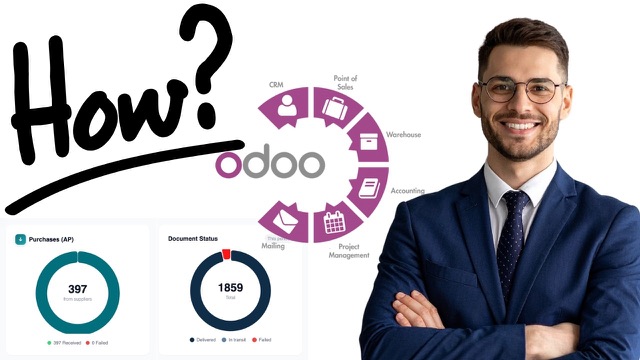
If your business runs Odoo ERP and needs to prepare for the
Oman Fawtara mandate, this shows the full path: raise an invoice in Odoo, push it over the REST API,
watch real-time Schematron validation against
PINT OM, then handle credit notes, debit notes and error responses — with a complete audit trail.
The short version · connect · send · validate · track
The same path as the demo above, in under four minutes: open the invoicing workflow in
Odoo, connect it to GoRoute, send the invoice
data across, watch it validated and processed, and find the transaction and its status afterwards. Watch
this one first if you are deciding whether the integration is worth an hour of your team's time; watch the
full 11:38 demo above when you are scoping the work itself.
It shows the connection and the invoice flow. It does not settle which Odoo versions are covered for your
installation, how the integration is packaged for your environment, or what your own customisations do —
those are answered against your system, and
the Odoo article sets out
what to ask.
connect odoo e-invoicingodoo goroute connectorodoo oman fawtaraERP integration
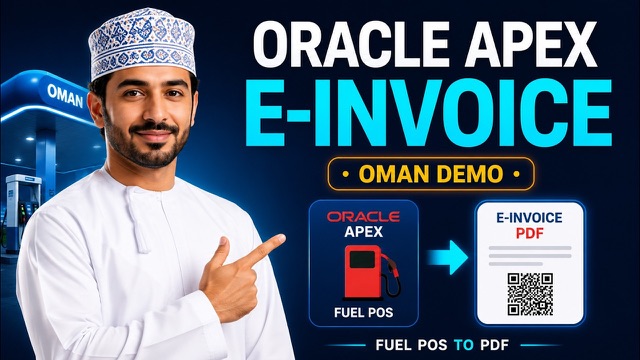
One invoice, followed end to end. Fuel is dispensed at an
Oracle APEX kiosk, the POS issues an electronic invoice,
a unique UUID is generated, GoRoute runs five-point validation and returns a compliant QR code — and
the same UUID and QR appear in every system:
the APEX receipts table, the transactions dashboard, and the printable PDF.
Oracle APEX → GoRoute connector → Peppol · live Fawtara QR
A full run through real-time e-invoicing from
Oracle APEX: an invoice is raised in APEX,
posted to the GoRoute connector, validated against PINT OM,
delivered over Peppol and reported to the Tax Authority — and the compliant
Fawtara QR code comes back while the customer is
still at the counter.
The point of the demo is that the same document appears in
three places at once: the APEX receipts table, the GoRoute transactions dashboard, and the printable
receipt the customer takes away. That is what makes the invoice auditable rather than merely issued —
and from 1 April 2027 it is
what the mandate requires. Simplified B2C invoices are on
the same clock.
oracle apex e-invoicingreal-time invoicingoman fawtara QR codePINT OM validation
TallyPrime → GoRoute connector → Peppol · PINT OM validation
If your business runs TallyPrime, this shows the same path
without changing how your team works: type the invoice in Tally exactly as always, and a small local
connector reads it straight from Tally's own XML gateway, validates it against
PINT OM and delivers it over Peppol. It covers all three Oman treatments — standard-rated 5%,
B2C simplified, and zero-rated exports reported to
Fawtara under the substitute participant when the
buyer is not on the network.
The VAT figure is always the one Tally itself posted, never
recalculated — so your ledger and your e-invoice can never disagree.
Microsoft Excel → GoRoute button → Peppol · Fawtara QR · TDD filed
Most small businesses in Oman invoice from a spreadsheet, and the advice they usually hear is
replace it. This shows why that is unnecessary.
GoRoute Connect for Excel adds a button to the
workbook your team already uses: it checks each invoice against the Oman rules before anything is sent,
delivers it to the customer, and files the Tax Data Document with the
Oman Tax Authority.
It covers B2C simplified tax invoices with the
Fawtara QR code, B2B delivery over Peppol,
credit notes, debit notes and self-billing — and every document's delivery and tax-reporting status
stays visible in the dashboard. Excel 2016 and newer on Windows and Mac, and Excel in the browser.
13 chapters — jump to a section
Introduction to GoRoute Connect for Excel
Why Excel-based businesses need Fawtara readiness
How the GoRoute button works inside Excel
Creating invoice rows in Excel
Validating invoice data before sending
Sending invoices to customers through the correct workflow
Filing the tax report with the Oman Tax Authority
B2C simplified tax invoices and the Fawtara QR code
WooCommerce order → GoRoute plugin → Peppol · Fawtara QR · TDD filed
An online store in Oman cannot treat e-invoicing as the accountant's problem: the checkout, the
order confirmation, refunds, the QR code and the archive all have to line up. The
GoRoute WooCommerce plugin turns each paid order
into a validated e-invoice, delivers it to business buyers over Peppol, adds the Fawtara QR code for
consumer sales, and reports it to the
Oman Tax Authority — with the status written back to the order.
The recording covers installing the plugin, the one-button connection
to your GoRoute organisation, field mapping, a first order, what the dashboard shows, refunds as credit notes,
the archive, and what to check before going live. Nothing in the store changes.
14 chapters — jump to a section
Introduction to WooCommerce e-invoicing for Oman Fawtara
Why WooCommerce stores need an e-invoicing connector
Where GoRoute.ai fits in the WooCommerce order flow
Installing and configuring the GoRoute WooCommerce plugin
Connecting WooCommerce to the GoRoute.ai platform
Mapping store, tax, customer and invoice fields
Creating a WooCommerce order for e-invoicing
Sending invoice data from WooCommerce to GoRoute.ai
Fawtara validation, QR code and transaction status
Viewing the invoice inside the GoRoute dashboard
Handling refunds, credit notes and order changes
Archive, audit trail and compliance visibility
Common implementation considerations for WooCommerce stores
GoRoute E-Invoicing Connector for Microsoft Dynamics ERP
Dynamics 365 Business Central → E-Document framework → GoRoute → Peppol · Fawtara
Microsoft Dynamics is not one product.
Business Central, Finance & Operations, Sales/CRM and older on-premise systems each reach
e-invoicing by a different route, which is why a single "Dynamics connector" rarely fits.
This explains where GoRoute starts —
Dynamics 365 Business Central and its
built-in E-Document framework — and why that surface comes first.
It then follows an invoice out of Business Central into GoRoute for validation, Peppol delivery
and transaction tracking, through to
Oman Fawtara readiness. Credit notes,
retries and invoice-status handling are covered, along with why webhook-only integrations can fail
quietly — the failure mode that costs finance teams the most time to unpick.
For finance teams who raise their sales invoices in
Zoho Books and want e-invoicing to be part of
that same routine rather than a second, manual job. The walkthrough starts in the Zoho Books invoice
screen, sends the invoice data across to GoRoute, and follows what happens next: how the invoice is
received and processed, and the validation checks that run before anything is submitted.
The second half is the part finance teams ask about — Oman Fawtara
readiness and Peppol-based processing, invoice status inside GoRoute, transaction detail and document
history, and how errors and corrections are handled so a rejected document is visible rather than lost.
It closes on what the workflow is worth to CFOs, accountants and firms handling several clients at once.
Click to play (loaded from youtube-nocookie.com — no cookies set until you click).
What this demo covers
This walkthrough shows how organizations can simplify invoice delivery, compliance handling, country-specific requirements, and Peppol-based interoperability without building everything from scratch. It is useful for finance leaders, ERP teams, software vendors, and system integrators evaluating a global e-invoicing platform or a Peppol-certified provider.
GoRoute.ai is built for companies that need a practical way to support multi-country e-invoicing, Peppol API integration, invoice compliance workflows, ERP and billing integrations, and white-label e-invoicing infrastructure. Whether you are evaluating a global e-invoicing API, a Peppol-certified Access Point provider, or a platform for future country expansion, this demo gives you a direct look at how the platform works.
▸Finance leaders preparing for incoming e-invoicing mandates.
▸ERP and billing teams scoping a Peppol or DBNAlliance rollout.
▸Software vendors evaluating embedded or white-label e-invoicing.
▸System integrators and BPO firms supporting multi-country clients.
▸CTOs and architects choosing a long-term invoicing infrastructure partner.
Topics in the demo
global e-invoicing platformPeppol certified providerPeppol Access Point providermulti-country e-invoicinge-invoicing API integrationinvoice compliance platformwhite-label e-invoicingERP e-invoicing integrationbilling platform e-invoicing integrationstructured invoice deliveryenterprise e-invoicing solutionfinance automation and invoice routingdigital invoicing infrastructurecountry-specific e-invoicing requirementspartner-ready e-invoicing platform
Why this content is trustworthy
GoRoute.ai is operated by ClayDesk LLC, a certified Peppol Access Point with participant ID POP000991. We operate our own self-hosted SMP, run jurisdictional Schematron validation in production, and submit Tax Data Documents (TDD) into the Oman Fawtara CTC environment for live customers.
Our editorial team includes IT enterprise architects with hands-on Peppol AP/SMP implementation experience, finance compliance practitioners, and certified e-invoicing engineers — not external content writers.
✔ISO 27001-aligned — Information-security practices on certified cloud infrastructure.
What is electronic invoicing over the Peppol network?
Electronic invoicing over Peppol is a four-corner exchange in which a sender's Access Point delivers a structured UBL invoice to the receiver's Access Point over secure AS4 transport, after looking up the receiver's endpoint in the SMP using their Peppol participant identifier.
Unlike point-to-point EDI or PDF email, Peppol is an open standard governed by OpenPeppol AISBL. Once you connect to one certified Access Point, you can reach every other participant in the Peppol network — across more than 40 jurisdictions and with country-specific compliance applied automatically.
About the demo, the platform, and what GoRoute.ai is built to do.
Is GoRoute a certified Peppol Access Point provider?
Yes. GoRoute.ai is operated by ClayDesk LLC, a certified Peppol Access Point with participant ID POP000991. We also operate a self-hosted SMP and are pursuing dual AP+SMP certification.
What countries does GoRoute support?
We support Peppol BIS 3.0 across all 30+ Peppol jurisdictions, plus PINT profiles for Oman (Fawtara), Australia, New Zealand, Japan, Malaysia, and Singapore. National CIUS packs include XRechnung (Germany) and FatturaPA SDI (Italy). We also bridge to DBNAlliance for the United States.
How does the e-invoicing API integration work?
Integration is via a single REST API. Send invoice data in your existing structure and GoRoute.ai handles canonical mapping to UBL 2.1, Schematron validation, SMP discovery, AS4 transmission, and acceptance correlation. Webhook events stream lifecycle updates back to your system.
Can GoRoute integrate with our ERP or billing system?
Yes — we have published patterns for SAP, Oracle, Microsoft Dynamics, NetSuite, Sage, Odoo, Zoho, Tally, Stripe, Zuora, and Certinia, plus a generic API + event-stream pattern for proprietary or in-house billing systems.
Do you offer white-label e-invoicing?
Yes. Partners deploy a fully branded portal and API on their own subdomain while GoRoute.ai operates the Peppol AP, SMP, validation, and tax-data submission infrastructure behind the scenes.
How long does a typical multi-country rollout take?
Most enterprise rollouts go from kickoff to production in 4 to 8 weeks depending on the number of source systems and jurisdictions. Single-country, single-ERP rollouts can be live in under 2 weeks.
How is GoRoute different from a traditional EDI provider?
Traditional EDI is point-to-point and proprietary. GoRoute.ai is built on open Peppol and open UBL 2.1 standards, supports modern API and webhook integration, and includes jurisdictional Schematron validation and clearance workflows out of the box.
Is structured invoice delivery the same as a digital PDF?
No. A PDF is a document for humans. A structured invoice is XML data that buyers and tax authorities read automatically. Most modern e-invoicing mandates require the structured XML, not a PDF.
What compliance certifications does the platform hold?
ClayDesk LLC operates ISO 27001-aligned information-security practices and ISO 22301-aligned business-continuity practices on certified cloud infrastructure, and runs a GDPR- and HIPAA-aligned platform. The Peppol Access Point is certified by OpenPeppol AISBL.
How can I book a demo or get started?
Book a 30-minute call at goroute.ai/book.html or sign up for a free developer account to test the API in our sandbox environment.
Ready to see it on your stack?
Bring your ERP or billing system and we will walk through how a multi-country e-invoicing rollout would look — using your real product catalog, your actual buyers, and your jurisdictions.