
Wix e-invoicing, delivered over Peppol
GoRoute Peppol E-Invoicing is a Wix app, free to start, that turns every paid business order into a compliant e-invoice and then delivers it: over the Peppol network into the buyer’s accounting system, or by email as a PDF carrying the e-invoice inside it when the buyer is not on the network. Refunds and cancellations raise credit notes. It is for businesses registered in Belgium, Germany, the Netherlands, Australia and New Zealand, selling to buyers anywhere.
GoRoute is itself the certified Peppol Access Point (POP000991), so the invoice, its delivery and the delivery answer come from one place rather than an app plus somebody else’s network. The app is free for fifty e-invoices a month, with every feature and every seller country, and there are three paid plans inside Wix from $19 a month when a store sends more.
Live on the Wix App Market since 10 September 2026. Requires Wix Stores; Wix installs its own Checkout & Orders alongside it. Set-up is three steps and the merchant guide walks through them.
- Free
- for fifty e-invoices a month
- $19
- the first paid plan, inside Wix
- 5
- seller countries
Order #10042 · paid
Business customer · VAT number BE0123456789
Buyer found on the Peppol network · 0208:0123456789
Invoice INV-2026-10042 · Peppol BIS Billing 3.0
✓ Delivered over Peppol at 14:02 · channel and state on the order
Behind this order, in the seconds after payment
What the app adds to your store
One field at checkout, one panel on the order, and a document that reaches the buyer. Your Wix site, your theme and your payment provider stay exactly as they are.
The buyer’s number, collected and checked
A field on the checkout asks a business customer for their VAT number, ABN or NZBN, and checks it. The field follows the language of your site, and one button in Settings puts it there. Consumers see nothing new, so compliance never gets in the way of a sale.
An invoice that actually arrives
A paid business order becomes a structured e-invoice, delivered by GoRoute’s own certified access point into the buyer’s accounting software. A buyer who is not on the network is emailed a PDF with the e-invoice embedded in it rather than being dropped.
The state, on the order
The invoice number, the channel it went by and whether it was delivered are written onto the Wix order and shown in a panel on the order page. You look in the place you were already looking, not in a second system.
How a paid order becomes an e-invoice
One completed order, four steps, no one at the keyboard.
Order paid
Wix tells the app the moment payment completes on a Wix Stores order.
Buyer resolved
Business or consumer, which identifier applies, and whether that identifier is reachable on the Peppol network.
Issued in your country’s format
Peppol BIS Billing 3.0, XRechnung or PINT A-NZ, depending on where your business is registered, validated before anything leaves.
Delivered and answered
Over Peppol, or by email as a PDF that carries the e-invoice. The answer comes back onto the order.
Peppol first, email as the fallback
Most business buyers are reachable on the network and get the invoice straight into their software. Everyone else is emailed a PDF with the structured e-invoice embedded in it — ZUGFeRD for a German seller, EN 16931 for a Dutch one — so their accounting system can still read it. Belgium is the exception: it does not allow email between businesses, and the order says so instead of pretending the invoice arrived. What the Belgian rule requires of an online shop works through that case and the refund case in full.
Consumer orders are left alone
None of the five seller countries requires an e-invoice for a sale to a private customer, so the app does not raise one, and the order says so rather than failing quietly.
The access point is GoRoute itself
This is not an invoice generator bolted onto somebody else’s network. GoRoute is the certified access point, so issuing, delivery and the delivery answer are one service with one place to look when a document does not land. The same engine is available directly as an API.
What an install actually looks like
Eight screens from a real install, in the order you meet them. Set-up is three questions on one page; everything after that happens on its own, on the order. The screens below come from two test stores — a Belgian one during set-up and a German one once it was running — which is why the country changes partway down.
Find it on the Wix App Market
The listing carries the free plan on its face: Free plan available, under the Add to Site button. The app is published by ClayDesk InfoTech FZCO, the company behind GoRoute.
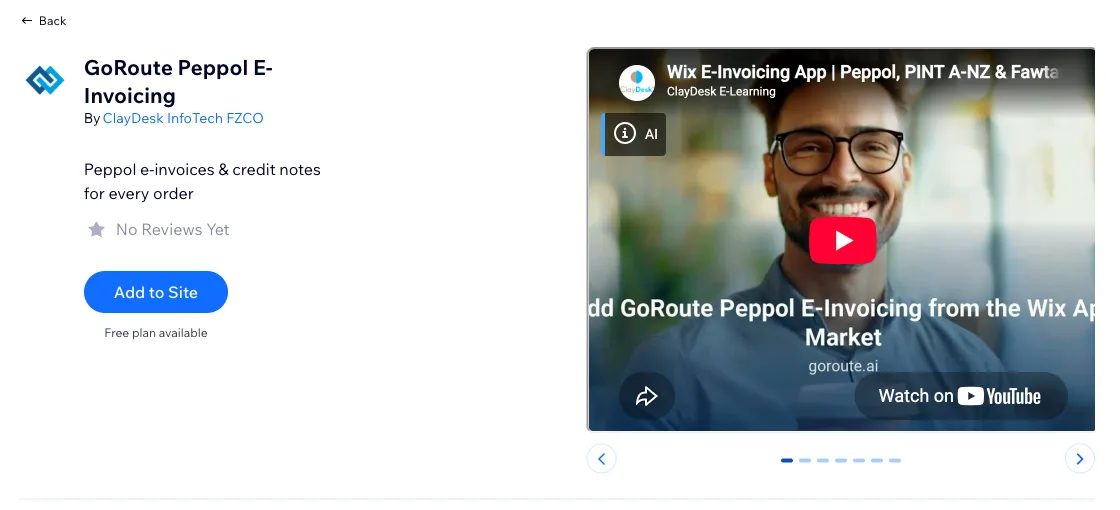
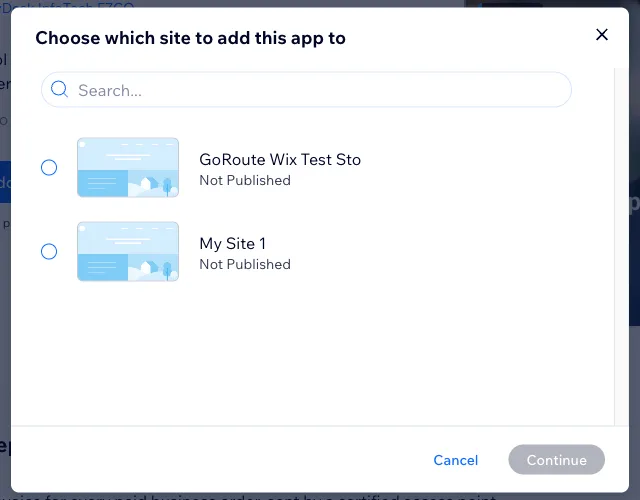
Add it to the site you sell from
Add to Site asks which of your Wix sites the app is for, and installs into that site’s dashboard. Wix Stores is required; if Checkout & Orders is not already there, Wix installs it alongside.
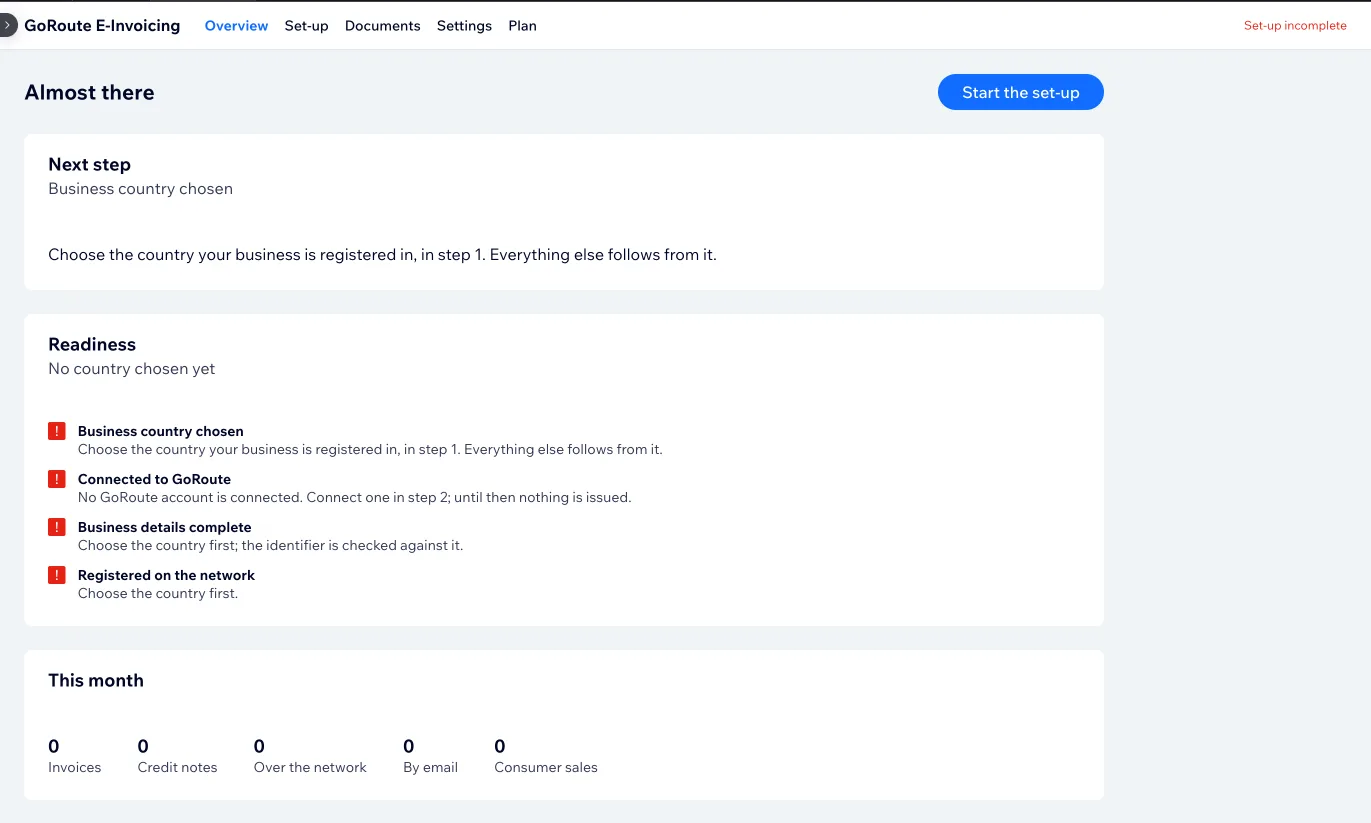
Overview opens, and says what is missing
Before set-up the app says “Almost there” and lists four readiness checks, all failing: country chosen, GoRoute account connected, business details complete, registered on the network. Nothing is issued until they pass, and the screen says which one to do next rather than leaving you to find out.
Choose the country your business is registered in
The first question on the Set-up page, and the only one that decides anything else: identifiers, tax rules, invoice format and document type all follow from it. Belgium here. Saving it opens step two and turns step three into the business details that will be registered on the network.
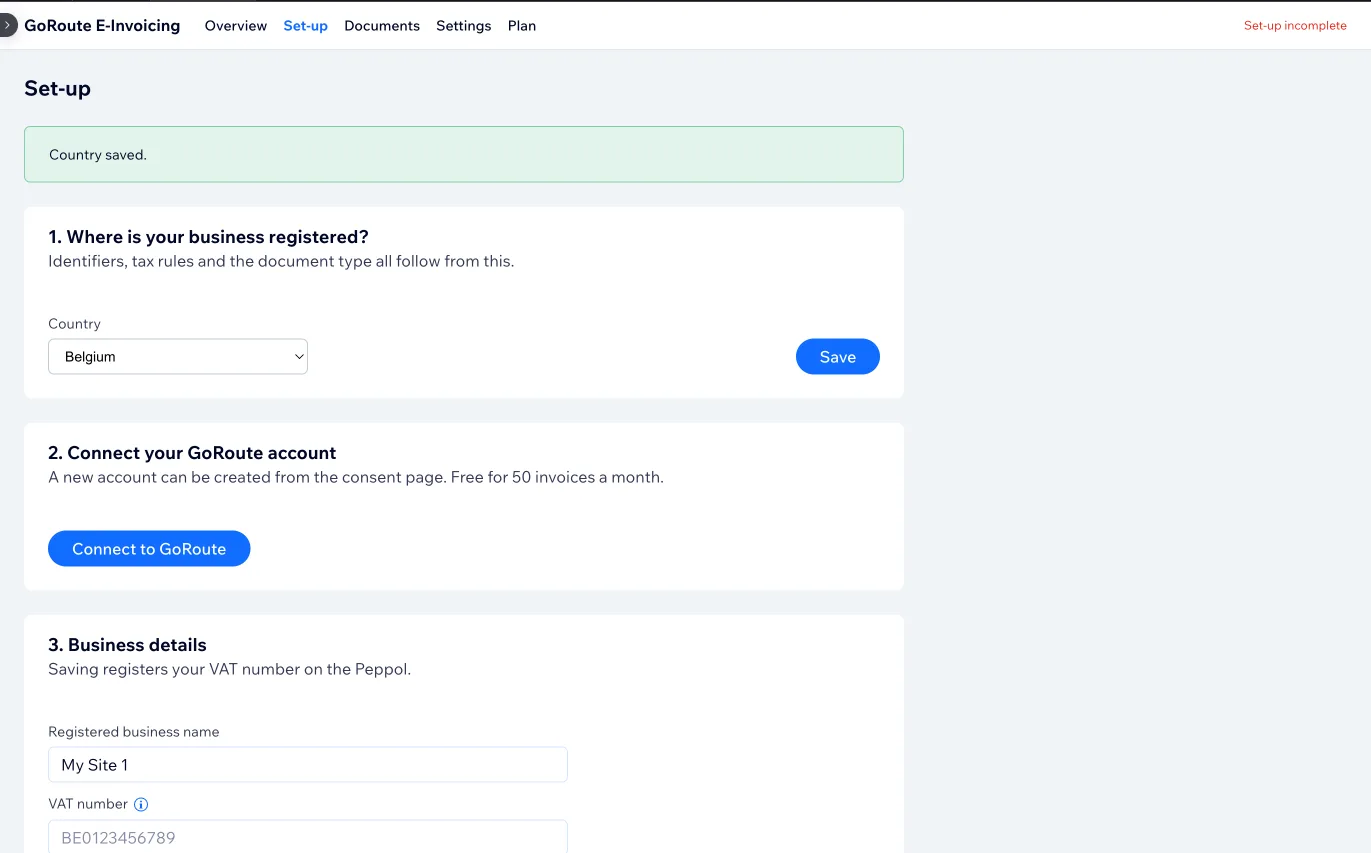
Connect a GoRoute account
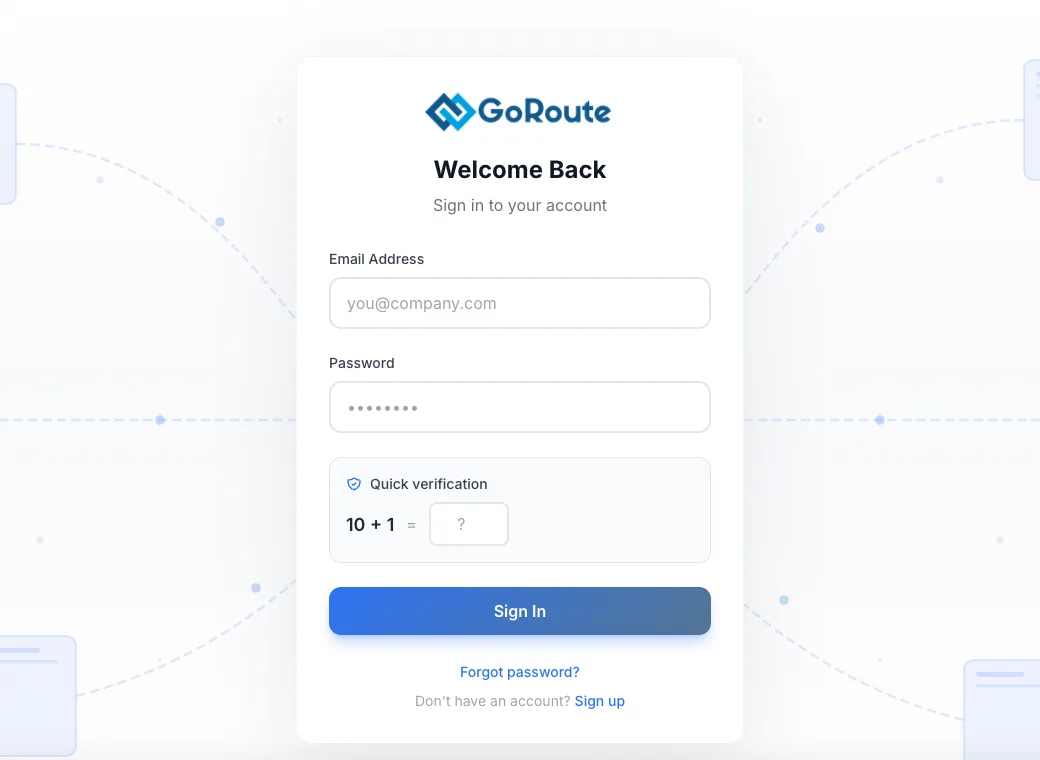
Step two opens GoRoute’s sign-in. A shop that has no account creates one from the same page, and creating it costs nothing. There is no API key to copy from one system into another.
Overview turns green and starts counting
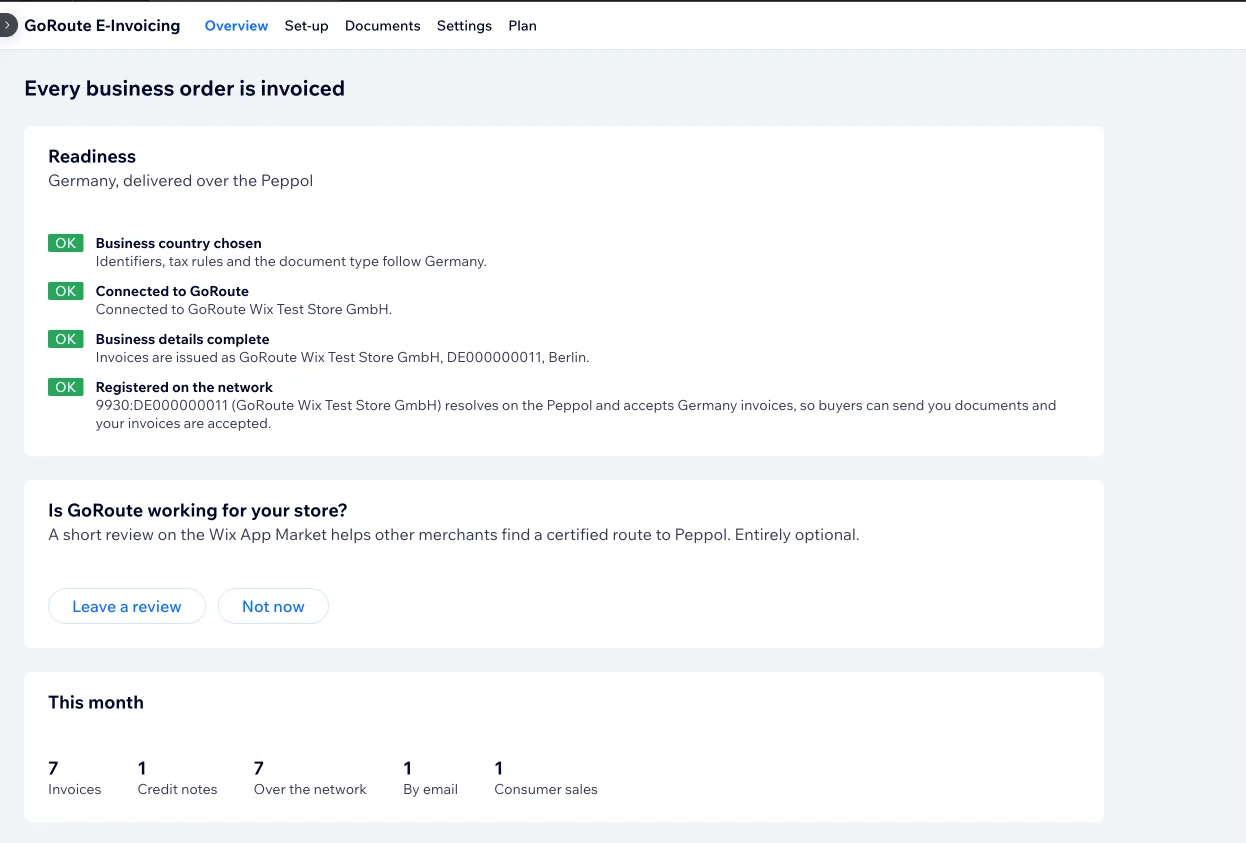
With the four checks passed the heading changes to “Every business order is invoiced”, and the network line names the identifier your buyers can reach you on. The month’s figures sit underneath: invoices, credit notes, how many went over the network, how many by email, and how many consumer sales were left alone. This store is registered in Germany.
The answer lands on the order
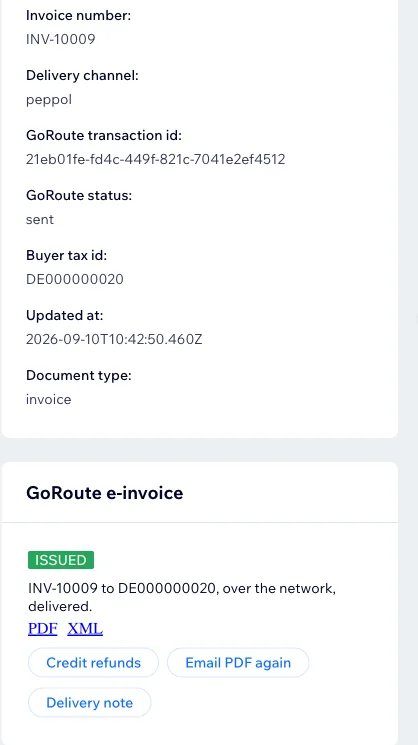
On a paid business order, the panel holds the invoice number, the channel it went by, the delivery state, the buyer’s tax number and the document type — with the PDF and the XML one click away, and buttons to credit a refund, email the PDF again or raise a delivery note. This one went over the Peppol network to a German buyer.
See what you have used, and upgrade if you need to
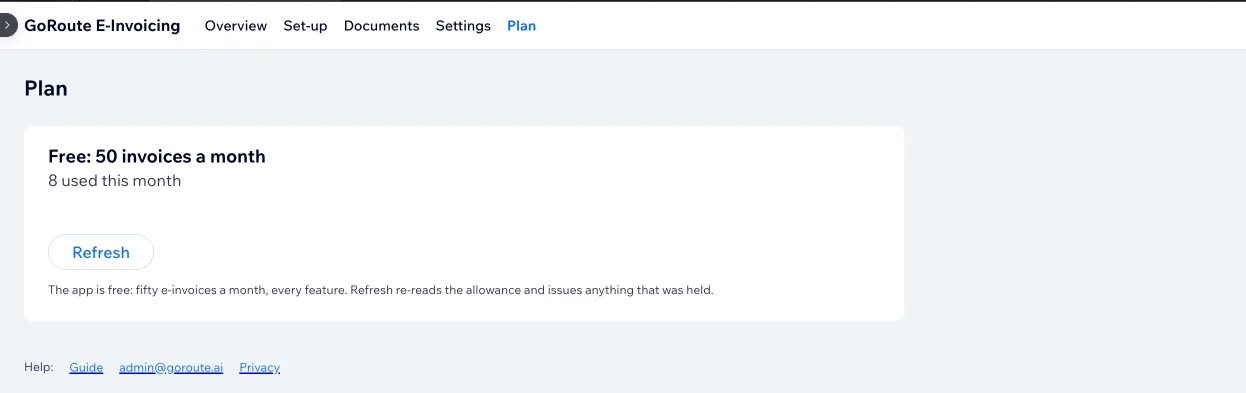
The Plan tab shows the allowance and how much of it the month has used — eight of the free fifty here. A store that outgrows the free plan upgrades inside Wix, on the plans set out in what it costs.
Every screen, including the ones between these, and what to do when a document does not land, is in the full guide.
The documents a shop actually needs
A tax invoice is not the whole job. Orders get quoted before they are paid, shipped, refunded and cancelled — and sometimes a document has to come back the other way.
Tax invoice
For every paid business order, in the format the seller’s country requires, validated before it is sent.
Credit note
A refund or a cancellation raises a credit note citing the original invoice, delivered the same way the invoice went. Refund in the Wix dashboard as normal; the document follows.
Pro forma invoice
For a buyer who needs a document before they pay. Raised from the order page, and labelled plainly as not a tax invoice.
Delivery note
Also raised from the order page, for the buyer who wants a note of what was despatched rather than what was billed.
The panel on the order
Invoice number, the channel it went by and the delivery state, written onto the Wix order and shown in a panel on the order page — so a question about one order is answered from that order. What each state means, and which ones need you, is set out state by state.
Documents coming in
Setting the app up registers your store on the Peppol network, so it can receive documents as well as send them. Being addressable is what makes the delivery answer possible.
What it costs
Free for fifty a month; three paid plans inside Wix from $19. What a plan buys is a bigger monthly allowance — every document type, every seller country and the Peppol delivery itself are in the free plan already, and nothing is held back for a paid tier.
The ladder
- Free — fifty e-invoices a month, every feature, every seller country.
- Starter, $19 a month — 250 e-invoices a month.
- Growth, $49 a month — 1,000 e-invoices a month.
- Business, $99 a month — 5,000 e-invoices a month.
Prices are US dollars before tax. Paying by the year costs the price of ten months rather than twelve. Any paid plan can be trialled for 14 days, once per site.
Upgrading, inside Wix
Plans are bought and billed inside Wix, not on goroute.ai: open the app in your Wix dashboard, choose Upgrade, and the charge appears on your Wix bill with the rest of the site. Switching plans or cancelling happens in the same place. The app itself never asks for a card, because Wix takes the payment on the account you already have with them.
A store sending more than Business allows, or already on a GoRoute plan bought elsewhere, should write to admin@goroute.ai and we will sort it out with you.
See it working
There is no public demo store to send you to. The eight screens above are a real install; if you want to watch it rather than read it, there is a recorded walkthrough, and the merchant guide covers the set-up and every screen in it. If you would rather ask your own awkward questions, book twenty minutes with us.
Where it is live today
Five seller countries, chosen once in the set-up. Each brings its own identifiers, invoice format and validation, and the app never asks you about them again. Your buyers can be anywhere. Whether a mandate covers your business is for you and your adviser to confirm — for a Dutch shop, that question is answered in does your Dutch online shop have to send e-invoices?
Belgium
E-invoicing has been mandatory between businesses since 1 January 2026. Peppol BIS Billing 3.0, over the network — a PDF by email does not satisfy the Belgian rule, so an unreachable buyer is reported on the order rather than emailed.
Germany
Businesses have had to receive e-invoices since 2025 and have to issue them from 2027, with the smallest from 2028. EN 16931 under the XRechnung rules, with ZUGFeRD by email for buyers off the network.
The Netherlands
Peppol without a general mandate. Peppol BIS Billing 3.0 today, and EN 16931 embedded in the PDF for a buyer who is not on the network — Dutch buyers already ask for it.
Australia
Peppol without a general mandate. PINT A-NZ invoices addressed by ABN, which is the number the checkout field asks an Australian business buyer for.
New Zealand
The same PINT A-NZ rules addressed by NZBN, on the same network and the same plans as everywhere else.
Selling from somewhere else?
Those five are the seller countries the Wix app covers today. GoRoute itself reaches further — see the global e-invoicing overview or ask us where your country stands.
Sources: einvoice.belgium.be · Federal Ministry of Finance: E-Rechnung · Peppol.
Setting it up, step by step
Install from the App Market, then three steps and a button. The merchant guide shows every screen.
Choose your country
One question: where is your business registered? Identifiers, invoice format, validation and wording all follow from the answer.
Connect a GoRoute account
Sign in, or create one on the way — creating the account costs nothing and it is part of the same flow. No API key to copy anywhere.
Enter your business details
Legal name, address and tax number. Saving them registers your store on the Peppol network, so answers and incoming documents can find you.
Turn on the checkout field
One button in Settings puts the VAT, ABN or NZBN field on your checkout. Then place a business order and watch the delivery state appear on it.
The app requires Wix Stores. Wix installs its own Checkout & Orders app alongside it, which is normal and needs nothing from you. The app screens appear in English, German, Dutch and French, following the language of your Wix account.
Further reading
The country pages go deeper than a product page can, and GoRoute does the same job outside Wix. A Wix shop that also lists on Amazon has a second set of invoicing rules to meet, because Amazon supplies the tax data and expects a document back — that path is described on Amazon e-invoicing for sellers.
Belgium e-invoicing, in full
The mandate that started on 1 January 2026, and what it asks of a seller.
Germany e-invoicing, in full
Mandate, dates, XRechnung and ZUGFeRD, and what a seller has to be ready for.
Australia e-invoicing
PINT A-NZ, ABN addressing and the state of adoption.
New Zealand e-invoicing
NZBN addressing and what buyers there already expect.
Also on Shopify
The same job on Shopify, where GoRoute is the access point too.
Also on WooCommerce
The WordPress plugin, published and live today.
The API behind the app
The same issuing and delivery service, for anything that is not a shop platform.
What Peppol actually is
The network the invoice travels on, and why being addressable on it matters.
The Wix merchant guide
Set-up, every screen, and what to do when a document does not land.
Wix e-invoicing: frequently asked questions
What Wix merchants ask us first.
Where do I install the GoRoute app for Wix?+
What does the Wix app cost?+
Which countries can I sell from with the Wix app?+
What happens when my buyer is not on the Peppol network?+
What happens on a refund or a cancellation?+
Are consumer orders invoiced?+
What does the app add to my checkout?+
Which languages does the app appear in?+
Ready before your customers ask
Install it from the App Market and place a test order, or bring your store, your country and your awkward order to a call and we will show you the invoice leaving and the buyer’s system answering.